Showing posts with label Math. Show all posts

Tuesday, January 21, 2014

Tech Tuesday for January 21st


Happy Tech Tuesday everyone! I have some cool things to share with you this week. I hope you have a moment to check them out. 


I am beyond excited to announce that Grosse Pointe South High School will be hosting a TEDx event June 7, 2014! As part of my students' 20 Time Projects, I worked on my own project to bring a TEDx event to South so my students could share their work on a world stage. More details will be shared as we move closer to the event, so stay tuned!

Here is my Cloud Tools survey for the book I am working on for Corwin Publishing. If you have a minute, please share what tools you use in the classroom so I might be able to feature some of the amazing things Grosse Pointe Teachers are doing. 


Photo Pin

Photo Pin is a great site that allows Bloggers to use images free of charge. Now, many of you might not be Bloggers, but you might be assigning more web based projects and this is a great tool to share with your students who are looking for picutres. Some of the pictures shown will say there is a charge, but there are many more that are free to use. It is never a bad thing to have extra search options when it comes to photos. 

Block Posters

Have you ever wanted to take a picutre and blow it up into a poster? Well, with Block Poster, you can do that with just a few clicks of the mouse. Block Poster is designed to allow a user to choose how many sheets of paper they would like their blown up poster to use. You can scan in student work and blow it up for your classroom or hallway. This would be a great way to surprise students and share their work with everyone. Once pieced together, the poster could be laminated and given to the student to take home. This looks like a great site to share with your students and parents. 


Sum Cloud is a fun site for young math students that works great on the Smartboard. Using 6 different levels of difficulty, the game allows kids to take a look at the possible answers and select them. It's a fun game to have kids practice their Math skills.


Tuesday, December 3, 2013

Tech Tuesday for December 3

Welcome back everyone! I hope all of you had a very nice Thanksgiving Break. I'm happy to be sharing this blog out to the district again after a short hiatus. Teachers had been asking me to add them to my email list, so I thought it would just be easier to send it to everyone. I promise I will not be sending these blog posts out every week and clogging your inbox. Feel free to bookmark my site in Chrome and visit it when you have a minute. Thanks for stopping by and feel free to send me an email or leave me a comment if there is something you are looking for or something you would like me to share to the rest of the staff. Have a great Tuesday!

Writing Prompts/Journal Posts

Here is a great site that has a bunch of prompts that you might find helpful for your classroom. CanTeach has a long list of possible questions to ask your students. I have found writing prompts to be wonderfully helpful in getting my students to think outside of the standard curriculum and have led to great discussions in class. If you are looking for a digital place for students to write their responses, KidBlog is an excellent (free) site that I have used in the past that is perfect for all ages. It does not require students to have an email and teachers can lock it up so only students and teachers can see it if they want. Digital writing is an important skill to learn and combining prompts and blogging is a great way to help students become more comfortable with it.

Eyewitness to History

Eyewitness to History is a great site that brings together stories and media to tell a complete story of historical events that occurred around the world. The site offers links to famous speeches and photos of important events throughout history. Students can here Charles Lindbergh speak after his historic flight or listen to a reporter describe the invasion of Normandy as he witnessed it live offshore. You can also show students the first narrative film The Great Train Robbery to give them a sense of how far things have come in film. There are pictures galore that could make great additions to class for writing prompts or presentations.


The pictures are interactive as well. If you click on certain parts of the picture, it will take you to another story that provides a rich background to the photo and the time period. This is a great site for students and teachers to make history a little more hands on and visual. 


Here is a great site from the University of Colorado that can give some students a chance to try experiments at home without destroying their house. Here is a quick snapshot of what they have to offer.


The site offers great simulations for students of all ages who might need a different way to look at a concepts being covered in class. Take a look at these and share your favorites with other teachers in your building. 

Thanks for taking the time to read the post and feel free to drop me a line if you have questions or want to share something you use with everyone else. 

Give it a try!

Nick

Monday, December 17, 2012

Poll Everywhere

Here is a great blog post on how to use Poll Everywhere and a tutorial video on getting started. Great work from Greg Kulowiec.

The Post - Poll Everywhere Advice and Questioning Strategies


Google Sites Tutorial Videos

Here is some great information on using Google Sites with students. Now that our students all have Google Accounts, they can create their own websites easily and for free. Check out the videos below to see how to use Google Sites.

Skip the first video, it is the user showing everyone Google Hangouts.

Tuesday, October 16, 2012

Livescribe Pen Tutorials


Livescribe Pens are becoming great tools for many teachers around the building. I have put together a playlist that will walk new users through how a Livescribe Pen works and the different ways you can use them in the classroom. Before you get to the videos, here are a couple of examples of how I have used it with my students.

Here is one example I created for In-Text Citation for my students.

Here is another example on how I used it for Plot Mountains.

Here are the Tutorial Videos


The picture below shows you how to watch all of the videos in the playlist.


To watch the other videos in the play list, you need to click this playlist icon seen below. Hold your mouse over the screen for the menu to appear at the bottom.

Monday, October 15, 2012

Evernote Tutorials

Evernote is a free tool that allows user to take notes on their digital platform and access them on any internet ready device. This device could be an iPhone, iPad, Android device, Windows phone, PC or Mac desktop or any other device that lets you have access to the internet.

Evernote is a great tool for education because it allows users to organize the notes in a way that best suits them. Once the notes are created and saved in notebooks, they can easily be shared with others through Facebook, Twitter, Email or links that can be posted to websites. Here is an example of a link I created for my students and their assignments.

I also use Evernote for all of my lesson planning needs. I can place links, photos and documents in notes to access anywhere and anytime. I can edit these notes on the go and share them with other teachers looking for ideas for their lessons. It has made life much easier using this instead of the traditional paper plan book.

Here are a series of videos for your to explore to see how Evernote works. If you are interested in learning more about Evernote in education, we can set up a time to chat 4th hour to go over the different uses.


To watch the other videos in the play list, you need to click this playlist icon seen below. Hold your mouse over the screen for the menu to appear at the bottom.

Tuesday, May 29, 2012

Last Tech Tuesday of 2011-2012

Good afternoon everyone. I hope this post finds you all well. I wanted to make sure I sent out the last Tech Tuesday of the year on Tuesday.

While I will be continue to explore and catalogue awesome new sites over the summer, I will not be updating the page until the school year starts. Thanks for all of the support and kind words. It's always nice to know that the site is helping teachers.

Here are some final plugs for those interested in attending a conference or getting some Grad credit over the summer. 

The Digital Teaching Series
I'm teaching a grad class online on Project Based Learning using Web Tools. If you are interested in exploring 21st Century instruction, consider taking my course.

The summer is a great time to relax, but also get needed credit hours. Here is a great program that offers online professional development from experts.
6 Week Courses
4.5 CEUs
3 Graduate credits available

There are 6 course on a wide variety of digital topics that are worth checking out.


Michigan has it's own official Google Conference set for October 19th. Registration is open and I encourage teachers that are interested in exploring what the free tools that Google has to offer can bring to their classroom. I may be biased as a featured speaker, but trust me when I tell you that this will be a valuable conference for teachers looking to learn more about Google tools. I encourage you to sign up quickly before space runs out.

Below you will find links to topics I have covered on this site. Each link will take you to posts that contain the topic I tagged them.

I hope everyone has a great summer and I look forward with working with all of you in the Fall.

Dropbox           Elementary               English               Google               Math         

Science             Smartboards            Social Media      Social Studies    Technology

I hope everyone has an awesome summer and I hope you will give some of these a try.

NP

Tuesday, January 17, 2012

Tech Tuesday for 1/17

Here are some great goodies to look at for this week.

Photo Pin

Photo Pin is a great site that allows Bloggers to use images free of charge. Now, many of you might not be Bloggers, but you might be assigning more web based projects and this is a great tool to share with your students who are looking for picutres. Some of the pictures shown will say there is a charge, but there are many more that are free to use. It is never a bad thing to have extra search options when it comes to photos.

Block Posters

Have you ever wanted to take a picutre and blow it up into a poster? Well, with Block Poster, you can do that with just a few clicks of the mouse. Block Poster is designed to allow a user to choose how many sheets of paper they would like their blown up poster to use. You can scan in student work and blow it up for your classroom or hallway. This would be a great way to surprise students and share their work with everyone. Once pieced together, the poster could be laminated and given to the student to take home. This looks like a great site to share with your students and parents.


Sum Cloud is a fun site for young math students that works great on the Smartboard. Using 6 different levels of difficulty, the game allows kids to take a look at the possible answers and select them. It's a fun game to have kids practice their Math skills.


Inside Story Flashcards is a great flashcard site for kids. Check it out!

My friend Kelly wrote an amazing review of a site I want to share with you, so I'm going to send you to her amazing site for the full run down. iLearnTechnology is a site filled with amazing resources and I encourage you do to some snooping around there. I'm not kidding when I say she has covered almost every educational site on the Internet. She is an amazing person and you need to check out her site.

I hope you enjoy the sites!

Give them a try!

Wednesday, January 11, 2012

Wired Wednesday?

Sorry for not getting this out on Tuesday, but I was in tech meetings all afternoon. Here are some goodies I hope you enjoy.

We Give Books


I heard of this site from my friend @KTenkely who heard of it from @ShannonMMiller. Pearson has but together a collection of picture books for children through age ten that can be read online! Students with an Internet connection can no access pictures books from home. Also, by reading these books online, you can help other children read books as well. By choosing a literacy partner campaign, the more books that are read, the more books that will be given to these great groups.

I think this is a great read to do some reading as a class. There are some great titles and they will be adding more each month. They also have seasonal titles for the holidays that kids enjoy most. I definitely recommend that teachers check out this great offering from Pearson.

Math and Science Rap


This has to be one of the coolest sites I have seen for Math and Science in a very long time. The idea is simple. Turn important parts of Math and Science into clean rap songs to help students learn. You can consider this a modern day version of School House Rocks! I really like it when people try and approach traditional material in a new and different way and the Rhyme 'N Learn people do just that. The header of their website alone is enough to make you stop and check out their work. Here is a video and song for the Pythagorean Theorem:


Bloom's Taxonomy for iPad Apps

This picutres comes froma Twitter pal @Langwitches. For those of you with iPads and are interested in using them in your class, here are some great apps that line up with Bloom's Taxonomy.


Bloom iPads Apps 


Now that many teachers around the country are entering into the digital world, the most asked question is, "How do I grade it?" Well, there is now a wiki that has rubrics for digital work that includes, blogs, wikis and other Web 2.0 Tools. If you are interested in exploring what digital work has to offer and are looking for rubrics, this is the place for you.

These are some great resources I hope you take the time and time and give them a try!

- NP

Monday, December 12, 2011

Tech Tuesday for December

Sorry for the long delay in the Tech Tuesday posts. It's been a crazy semester and I wanted to make sure I shared the best resources available. Here are some good ones you might like.

NRich

This is a Math site geared toward making Math more engaging with various lessons. They offer games and lessons that work on Interactive Whiteboards. Resources are broken into 4 groups. K-5, 2-8, 5-10 and 11 and 12. Do some digging around to find the lesson that best fit your class.

How to use your Outlook Calendar

Here is a video that shows you some tips and tricks to Microsoft Outlook.


Smartboard Resources

Thanks to  Melissa Edwards and her blog Technology: Figuring Out How The Pieces Fit for finding this resource and sharing it. Thanks Melissa!

Here is a link to some great SmartBoard resources. This is for all grades and covers the ranges of subjects. If you are having trouble finding sites to use on your SmartBoard that will keep your students involved in the lesson. Take a look around these different pages and pick out what you like.

http://livebinders.com/play/play?id=7376

P.S. Livebinders is really awesome and I use it in my classes. The kids like having the information in one place. Check out this post if you are curious about Livebinders.

Diigo

I cannot tell you how many times I have heard that from my students. Another one I love to hear is, "What do you mean I can't use Wikipedia as a source?" As an English Teacher, I have spent many long hours teaching students how to conduct proper searches on the internet. They should never be able to tell you that they were never taught how to properly cite information or where to look that information up.

With that having been said, sometimes I just want my students to look at a few specific websites for a specific project. I have started using a great site I want to share with you great teachers. The site is called Diigo and it is a bookmarking site.

"Why do I need a bookmarking site?" Well, bookmarking sites are a way for you to save all of those wonderful websites you have found or I have sent you. We all have bookmarks on our computer at home and at school. The problem with saving them on our home and work computers is that we can access what we have on the other computer. Diigo, and similar bookmarking sites, solve this problem.

Bookmarking sites save all of your bookmarks on their site so you can access them from any computer with internet access. If you find a great site at home while working, just bookmark it with Diigo and you will not have to worry about emailing yourself the link. The links are very easy to share with other teachers and even students. There are tons of great things you can do with this wonderful tool.

Highlighting - You can highlight specific information before you bookmark the site. This can save people time when there is to much information to read through and all you want is a few lines.

Sticky Notes - You can places notes on the highlighted areas to remind you of their relevance. There have been too many times where I have bookmarked a site and I could not remember why I saved it a day or so later.

Groups - You can create specific groups and send pages you find to that group only. You can make the group a public group (anyone can join) or a private group (you select who can join). I have used the groups to store specific websites I want different classes to look at. It has cut research time in half for my students on various projects.

Email - You can directly email any site you find to yourself or other teachers. You can create an address book and send the site directly to students or to other teachers in your department.

Teacher Account - You can request to sign up for a Teacher Account from Diigo. This will allow you to sign up students to join your specific groups that you have created. I have a Teacher Account and I plan on using it with my Freshmen for their research project. Goodbye note cards and hello Diigo.

Linking Accounts - Diigo allows you to link your blog and Twitter accounts to your Diigo account. This way, if you bookmark something, it can be posted to you blog and your Twitter. You can set up a your account to post all the bookmarks you have made to your blog. It can be set for a daily, twice daily or weekly. This is a great way to save you time. You can also link your iPhone to Diigo as well. Download the Diigo App and you will have access to anything that you have bookmarked. It might be available for other phones, but you would have to check for that.

The best way to start bookmarking after you create your account is to download the toolbar. It will sit at the top of your browser and you just click the bookmark button when you want to share a website. There are many other great parts of Diigo that you can use. It's best to log on and play around a bit.

Give it a try!

Monday, November 7, 2011

Tech Tuesday for November 8th

Happy Tech Tuesday everyone. I hope you are all having a great PD day. Here are some things you might find useful.

Superstar Teacher

I met a man while I was at AuthorSpeak2011 last week and we talked about how tough it is for teachers to afford the the little things in class sometimes. Many of us talked with Todd about the way money is spent and how many teachers are fighting for the same scraps as others. Well, Todd Thornton has set up mini grants for teachers all over! Follow the guidelines and you can earn up to $500 for your classroom. Check out the site now before all of the money is gone!

Digital Storytelling Apps

Do you have an iPad and are you looking for apps that will allow you to make fun and exciting stories to share with your students? Well, here is the site you have been looking for. It's a simple Google site that offers a few different apps and explains how they could be used in digital storytelling. See if you can use any of these in your class or at home.

Algebra and Geometry Games

Here is a link to some fun Algebra games. The tabs say Grade 6-8, but this might be useful at the HS level. Take a look and see if these would work in your class or at home with your kids.

Gary's Social Media Count

Here is a very cool graphic that can show you the role Social Media has in the world today. Our students are responsible for much of the content that is being created on the web right now. It's important to keep that in mind as we look for different ways to infuse technology into our classroom. It might not seem important to you, but your students might be ready for something completely different.


- Give it a try!

Tuesday, October 11, 2011

Tech Tuesday for October 11

Happy Tech Tuesday everyone. I have some fun links to share with you this week.

I've been in almost every building on the South end this week and you guys are doing some amazing things. I cannot wait to see more fo you in action.

Here are some fun sites for learning!


Sum Cloud is a fun site for young math students that works great on the Smartboard. Using 6 different levels of difficulty, the game allows kids to take a look at the possible answers and select them. It's a fun game to have kids practice their Math skills.


This is a really fun site! If you want kids to work on their problem solving skills or maybe you want to have some fun in Physics class, take a look at this awesome site.


The students can move and rotate objects to create a device that get the ball into the container. There are many possible answers, but it is interesting to see what kids can come up with in class. You might ask the kids to come up with a soultion using all of the devices or as few as possible. This could be a fun lesson to share with your students that works great on the Smartboard.


Inside Story Flashcards is a great flashcard site for kids. Check it out!

My friend Kelly wrote an amazing review of a site I want to share with you, so I'm going to send you to her amazing site for the full run down. iLearnTechnology is a site filled with amazing resources and I encourage you do to some snooping around there. I'm not kidding when I say she has covered almost every educational site on the Internet. She is an amazing person and you need to check out her site.

I hope you nejoy the sites!

Give them a try!

Tuesday, October 4, 2011

Tech Tuesday for October 4

Happy Tuesday everyone! Here are some cool things I wanted to share with you this week. I've had a chance to get into some of the school this week and I love what you are all doing. I see why we are one of the best districts in the state. Keep up the great work and let me know how I can support the wonderful things you do every day.

Outlook Tip

One of the things that teachers are now dealing with as they use their Smartboards more is having their computer screen on display at most of the time. That isn't a big problem, but some people have their email settings in such a away that it pops up to notify you when a new message appears. Sometimes, you do not want kids to see that, so here is a way to turn that off.

When you have opened your Outlook, you will see this icon next to the time. That is your Outlook icon. 

Move your arrow over the icon and right click on your mouse.


To get rid of the "Show New Mail Desktop Alert", simple click the heading and the check will vanish. You will no longer get the notifications while working on other documents. If you want to turn it back on, just follow the same directions and select the heading again to turn them on.

Math Fun!

Here are some fun sites I found on my Google Reader. Thanks to Karen Ogen and her site  InTec InSights: Technology Integration Ideas for the Classroom for the info. Here are just a couple. Please check out her sight for more information.

Squirt The Dog

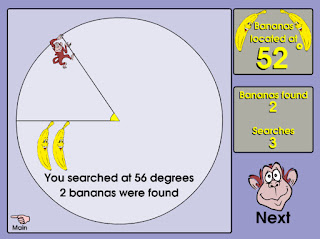
Banana Hunt
I hope everyone has a great week and I hope to see many of you in your classroom very soon.

Give it a try!

Tuesday, September 13, 2011

Tech Tuesday for 9/13

Happy Tuesday everyone. I hope the first week of the school year has gone smoothly for all of you. I hope your tech issues have been resolved. If not, please know that everyone is working hard to get everything going. If you are still having problems, please contact the Help Desk to make sure they are aware of any issue you might have.

Here is the text from an email Mike sent out on Monday. We are excited to get into your classrooms and look forward to hearing from all of you.

Hello,

This year, Nick Provenzano and myself will be filling the technology curriculum specialist roles at .5 FTE each. Our role is to help you incorporate technology into your curriculum and your instruction. We are looking forward to getting into classroom to work with you and your students on technology-based lessons, projects and training.  We are both teaching in the morning and are available from late morning through the rest of the school day and after school as needed.

In order to organize and schedule as efficiently as possible, we are going to split our coverage geographically.  I’ll be covering the north end of the district and Nick will cover the south end.  While this is how we will generally be dividing things, we will be very flexible in scheduling for specific needs and to meet specific requests. We will each be in every building at some point.  We’ll also be spending time in buildings for drop-in training, help with projects, learning new tools for instruction, etc.   
Contact us at any time to bring us in.  We’ll be contacting teachers and administrators to arrange visits and training.

As always, for any hardware or software related problems, troubleshooting, etc., contact helpdesk at 5199. 

Thanks,
Mike and Nick

Mike: North, Parcells, Ferry, Mason, Poupard, Kerby, Monteith and Barnes.
Nick: South, Brownell, Pierce, Defer, Maire, Richard, Trombly and Barnes.


Here are some great resources I have found the past couple of weeks.

SMART Resources

Here is a link to some quick SMART resources that you might find helpful. One of the tips involves changing the language of Notebook. This could be great for our language teachers. If you look around the site, you might find some other tips worth sharing.

RealWorldMath.org

Real World Math is a resource offering free math lessons and activities for grades 4-10. The unique feature of these lessons is they are presented on the virtual globe of Google Earth.

How to use a Google Calendar

Here are some great tips on how to use your Google Calendar if you have one.

How to use your Outlook Calendar

Here is a video that shows you some tips and tricks to Microsoft Outlook.

I hope you enjoyed these tips and I will have more for you in the next week or so.

Have a great day!

Nick

Sunday, August 15, 2010

Graph It Forward


I stumbled upon this cool site and I wanted to share it with all of the teachers out there. We have many students that graduate school and have no use of their fancy graphing calculators in college. Graph It Forward is a great program designed to collect these unused calculators and distribute them to needy students by SAT time on June 5th. Having a graphing calculator can increase a students ACT Math score by as much as 4 points and their SAT score by 70! It seems crazy to think that students are attempting these tests without the tools necessary to be successful.

I think this could be a great project for school clubs/organizations to take up near the end of the school year. There are too many students that take these high stakes tests without calculators. Here is a great way to help many students get great scores on tests and help them get into college. I hope you can help this great group!

Sunday, May 16, 2010

Arithmaroo and You Too: An App Review

Picture from http://arithmaroo.com/

Full Disclosure, I'm no good at Math. It has never been my strong suit and I currently eat lunch with the Math Department in the hope I can build enough credit to have them tutor my future children. :-) I ran across Arithmaroo on Twitter and they suggested I take a look at their Arithmaroo 1: A Counting Math Game for Kids app. As an English teacher, I wasn't sure what to expect from this app, but the @Arithmaroo people were so nice, I couldn't say no. Here are my thoughts on the app.

The app is a very simple game that allows up to 4 players and one guest to store scores and compare them with friends. The screen consists of a row of numbers and pictures that appear. The pictures might be rocks in various order or hands holding up fingers. Their might be multiple hands with different number of fingers or many rocks in various formations.The goal is too quickly count the objects on the screen and select the correct number. As time ticks down, the picture at the top changes from a Kangaroo (fastest), a Salamander (Fast) and a Turtle (The Nerdy Teacher Speed). The first level is fairly simple and focuses on numbers 1-5. It took me a couple of times to get straight Kangaroos, but I eventually got through it. 

Level 2 has 10 numbers and the combination of rocks and fingers intensifies. Again, this took me many tries, but eventually I made it to level 3. Level 3 brought me to a dark place as I tried to count objects in the allotted time up to 20. After stressing for 20 minutes, I was able to jump to level 4 where the total number goes to 50. That is where the level review ends because I have no idea what is beyond that and may never find out. I guess it is 75 or 100, but I'll need to ask one of my younger cousins to give it try and let me know how it goes.

I took a couple of days off from playing the app and went back and was surprised to see that I had an easier go of it the second time around. My responses were faster and I had more points than I did last time as well. I still could not get past level 4, but I felt that I was doing better. I was learning to identify patterns and identify quantity at a much faster pace. From that perspective, I would say the app is wonderful. If anything can improve my quick math skills,  think it's great.

As a high school English teacher, I can only guess how this would play in the Elementary Math classes. I think the fact that multiple students can store their scores on one app is great. It allows some nice competition amongst peers. Teachers could reward students for attaining certain levels and have class competitions if there are enough iPods to go around. Given time to play with this app, I can see that students would strengthen their Math skills. I have never been strong at looking at items and adding them up, but this app could help me grow in that area with continued use. 

 I think the timer moves a little too fast, but I think that is because I'm terrible at counting quickly. I did not encounter any glitches along the way. I tried selecting various wrong answers to see if it would freeze or shut down, but nothing happened. The clock stood that at turtle, mocking me, as it waited for me to eventually get the correct answer. I think it would be nice to see different images over time, but since I never made it past level 4, I'm not sure if there were others.

I think this would be a fun app to add to a class set of iPod Touches in Math classes or for personal use. The app looked great on the my iPad as well. Kids would strive to beat their previous best, their friends high scores and even their parents totals. For $1.99, I think it is a good buy if parents and/or teachers are looking at a fun way to help kids with their spatial math skills.

Thanks to Arithmaroo for talking me into this app because I will be recommending it to the teachers in my district. Great job and I look forward to seeing other great apps from you in the future.


Pictures from www.arithmaroo.com

Tuesday, May 4, 2010

A Great Collection of Math Sites!

Happy Tech Tuesday everyone! Here are a collection of Math Links I've put togehter over the past couple of weeks. I hope that you take a second and scan these sites. You do not have to use all of these in your classroom, but you should consider looking at them and consider placing the links on your school website and letting students and parents know about them. These sites below all offer Math help in different ways. Take a chance and see how these students can benefit from an online component to their Math Learning.

Here is a great collection of Math Sites from @Kellyhines. She put together a Livebinder Collection of 16 helpful Math sites for students and teachers of all grade levels. This could be very helpful for teachers looking for different ways to present material and it could also be great for teachers looking for sites to send students who are looking for extra help.

Teacher Zone is a site dedicated to Math videos. They will help explain concepts that are important to Math students from grades 3-10. This could be another way to show students important concepts in action. Adding these videos to your website could go a long way in helping a student learn an concept. It might even help a parent understand a concept so they can better help their child at home.

MatheBook is another website that offers tutorials on Math and downloadable questions and answers to further help students understand difficult Math Concepts. I think it is great that there are more and more Math websites available to students and teachers. Websites are see have been more geared toward Science, Social Studies and English, but there are many kids waiting to use sites that focus on Math skills. This is another good one to share with students and staff.

MathTrain.Tv is a wonderful site provides more Math help through video, but the thing that separates this from other Math sites is that the videos are created and uploaded by students. It's students helping students. This is a great concept to explore in your classroom. Imagine offering credit or extra credit to students that create Math videos to post to this site or even your own school website. Sometimes we learn ideas better if we have to teach them. This site is a great example of how Math can be interactive and use technology to spread ideas.

I hope you give these sites a try and pass them on to your website for students and parents look at. In the long run, it could really help some students learn concepts they have been struggling to learn.

Sunday, March 7, 2010

Math Sites!

Here is a great link to a Glogster of Math Sites. Digital Tools for Teachers always offers a wonderful collection of resources that I love to use and experiment with over time. Take a look at the Math Sites she has complied and then browse the rest of her posts. I'm sure you will find something useful there. Pass this along to other teachers who are looking for different ways to approach Math.

- Give it a try!

Monday, February 22, 2010

A Couple of Sites to Check Out

Nothing to big the Tech Tuesday after break. I would like to welcome Dee to the blogging world with her Social Studies Blog. I'm sure we will share sites back and forth and I'm glad to have a partner in crime with the blog. The more the merrier!

Biology in Motion - This a great interactive site for Science teachers. There is a great little piece on Intestinal Gas I found interesting. It is a cartoon mini-lecture that has a picture and a description of what Intestinal Gas is and how it affects the body. It's something that can be added to a lesson or posted on a website for students who want a little extra help. Another neat looking part of this site is the Evolution Lab. I'm not a science guy and I'm not really sure what many of the different words mean, but the whole concept of showing what happens with evolution under certain conditions seemed interesting. I'll probably bug Adams to have him explain it to me.

Algebasics is another math help site. This one deals with many of the different aspects of Algebra. What I noticed that really separates it from the other math help sites is the addition of audio. The problem that is being solved has step by step narration. Sometimes just watching the problem being solved is not enough. Students need to be told how it is being solved as it is being solved. Here is how you break down the root of 24. This could be another helpful tool students could use to help fill in the gaps they missed in class. Any extra help is good help.

Edutopia.org is just a great site that offers many great articles and ideas regarding public education. I follow them on Twitter and they always have something interesting to say. I highly recommend that you take a minute and go over the site and/or follow them on Twitter. Take a minute and view their articles. Again, you will not be disappointed.

- Give it a try!

Monday, February 15, 2010

Math Help!

As a person who has struggled with Math his entire life, I can appreciate the frustration some students have as they try and grasp the math. I remember Math Blaster being very helpful as I struggled with all sorts of math problems and it made Math fun and interesting. I moved away from using the computer as a means to help e with my Math and I'm not sure why. There are many great sites out there that students can use to help them with their Math skills. One great site that does more than just provide answers to students is WebMath.com

WebMath is part of Discovery Education which offers help for many disciplines. According to WebMath,

"Webmath is not a database of questions and answers, or an online math testing site. Webmath is a math-help web site that generates answers to specific math questions, as entered by a user of the site, at any particular moment."

Answers to problems are given in real time. The steps used to solve the problem are also given to show students how the answer was reached. The process is important to solving the problem and the website makes sure the students sees the process when it provides the answer. 

WebMath offers Math help on many different parts of the Math world.


WebMath also offers a quick pull down menu so students can jump to specific content area they are having trouble understanding. 


The slide down menu offers help for graphing, fractions, calculus, geometry, radicals, ratios, and all other things Math related. 

I'm sure many teachers out there think that students will just use this to get the answers without doing the work. Well, that might be the case for some students. However, even those students will be practicing the process as they copy down the steps to the answers. So even if they are just copying, they are seeing the process over and over again. That type of practice can lead to learning even if they realize it or not. Also, other students will use the site to help them learn how to solve the problems instead of just looking for the answer. 

This is a site you can share with your entire class or just a few of your struggling learners to help them work on Math when they are at home and have nowhere else to turn. 

- Give it a try!