Showing posts with label tech tuesday. Show all posts

Tuesday, December 2, 2014

Tech Tuesday for Dec 9

Welcome back everyone. I hope all of you had a very nice Thanksgiving break.  If you are Canadian, I hope you had a very nice regular Thursday. :-)

Here are some cool things that might help you in your classroom or give students another option for their projects. If you have any questions, please let me know and I'm happy to meet with you during 2nd hour, 4th hour, and before and after school.

If you have not filled out this survey, please take minute to do so. I will be building PD for all of you based on the feedback. Here is your chance for your voice to be heard.

Easel.ly

Easelly is a free website that allows you to create infographics. Infographics are a great way to present information to class. Boring data or statistics can now be shown through easy to create visual illustrations.

Easelly has pre-made designs or you can upload your own images if the selection is does not meet your needs. When you have created your infographic, you can save it as a PDF or JPEG. You can also embed them on your website or your blog like this one.

websitewer
easel.ly

I took one of the stock infographics and dropped it into my blog. You can take the stock infographics and changed them how you want to make them fit your needs. This is a fun tool that allows you to sign up easily with your Google Account, so students could do this quickly in the computer lab. Easelly is a great option to give students when they work on presentations.

Scribble Maps

A few teachers from my PLN suggested that I take a look at Scribble Maps. I cannot thank them enough for encouraging me to look around. If you are familiar with Google Maps, this will not be a problem for you to use. The website uses Google Maps and allows you to draw on the map you have focused on. You can draw by hand, create circles or boxes, create text and even add images. This is a great way to use the SmartBoards in the classroom. Take a look at my example. You can save them for later editing or you can save them as JPEG's so you can add them to other documents like this:


Here is one I just did of South. It only took me 5 Minutes to draw, save and upload this picture.

You can do all sorts of things with this program. They have Terrain Maps, Satellite Maps and Hybrid Maps that you can use for different lessons. I know many teachers are always looking for different ways to incorporate their SmartBoards into their lesson plans and I think this is a good tool to use with the students. This could also be used in other classes as well. In English, I could see using this to show the students where the story is taking place and adding my own visuals to the map. Perhaps a map showing East and West Egg and adding different pictures from The Great Gatsby so the students can see where the story takes place. You have as many options as you can think of with this cool tool. 

Tech Survey 


Thanks for all of your support!

Nick


Tuesday, October 23, 2012

Tech Tuesday for October 23

Hello everyone! It's been a while since my last Tech Tuesday, but I wanted to reach out and share some nice resources with all of you. If you check out the posts below this one, you will see some great posts on Livescribe, Turnitin.com, Evernote and Blogger. They are filled with tutorial videos to show you how to get the most out of each tool. Check them out and let me know if I can help. 


There is a great conference this Saturday at Oakland University. Edcamp OU is an unconference similar to the one I host in Detroit (edcamp Detroit). It's a great day of teacher led Professional Development where you can learn many great strategies to enhance classroom instruction. This is NOT a technology conference, this is an education conference that might have some technology sessions. I plan to be there and meet some of the great teachers presenting. If you are free this Saturday, checkout EdcampOU.


Google Apps for Education

For those of you interested in learning how to use the different tools available to you on your Google Account, here is a link that will take you to many different resources on how to use them. It is a great resource that will help you figure out Google Docs, Google Search, Google Maps, etc. Take a minute and see what you can add to your classroom using these tools.

Instructional Technology Team

As part of the School-Wide Initiative, our team has been looking for ways to share technology tips with our building to better support the integration of technology into classrooms. Those posts will be tagged with "South Tech Tip" so they can be easily searchable  for everyone in the building. We will also let you know who is offering the tip so you can ask follow up questions. I also want to say that everyone is always welcome to share a cool tech tip that the rest of the school should look at. This site is a great resources for those types of tips and I want everyone to be involved. Email me a tip and I will add it to the blog for the next Tech Tuesday Update.

Thanks for your time,

Nick


Tuesday, May 29, 2012

Last Tech Tuesday of 2011-2012

Good afternoon everyone. I hope this post finds you all well. I wanted to make sure I sent out the last Tech Tuesday of the year on Tuesday.

While I will be continue to explore and catalogue awesome new sites over the summer, I will not be updating the page until the school year starts. Thanks for all of the support and kind words. It's always nice to know that the site is helping teachers.

Here are some final plugs for those interested in attending a conference or getting some Grad credit over the summer. 

The Digital Teaching Series
I'm teaching a grad class online on Project Based Learning using Web Tools. If you are interested in exploring 21st Century instruction, consider taking my course.

The summer is a great time to relax, but also get needed credit hours. Here is a great program that offers online professional development from experts.
6 Week Courses
4.5 CEUs
3 Graduate credits available

There are 6 course on a wide variety of digital topics that are worth checking out.


Michigan has it's own official Google Conference set for October 19th. Registration is open and I encourage teachers that are interested in exploring what the free tools that Google has to offer can bring to their classroom. I may be biased as a featured speaker, but trust me when I tell you that this will be a valuable conference for teachers looking to learn more about Google tools. I encourage you to sign up quickly before space runs out.

Below you will find links to topics I have covered on this site. Each link will take you to posts that contain the topic I tagged them.

I hope everyone has a great summer and I look forward with working with all of you in the Fall.

Dropbox           Elementary               English               Google               Math         

Science             Smartboards            Social Media      Social Studies    Technology

I hope everyone has an awesome summer and I hope you will give some of these a try.

NP

Tuesday, March 27, 2012

Happy Tech Tuesday March 27

Happy Tech Tuesday everyone. I'm excited to share another cool web tool I think is worth checking out.

SuperLame

This seems like the perfect name for my blog, but this is actually a great site. SuperLame is a site that allows people to upload photos, add speech bubbles, word balloons and other features to create a fun project. One of the things I love about this tool is that it does not require a log in, registration or even an email address. This is perfect to use for all ages. I was able to upload a photo, add a word bubble and a "sound effect" in just over a minute. After I was done, I downloaded the picutre and posted it here.


I can see this being a fun way to get students used to some minor photo editing and uploading for various projects. For those of you having student create more web-based work, this is a great tool for students to create photos and add them to their work.

Give this a try!

Tuesday, March 20, 2012

Tech Tuesday March 20th

Happy Tech Tuesday and First Day of Spring everyone! I hope you have been leaving your technology indoors and have been enjoying the beautiful weather. I assure you, there is no app for these beautiful days.

I have one really great site to show you today. Let me know if you have any questions.

Apple Update

On Wednesday. Apple announced their new iPad, their new Apple TV and their software update, iOS 5.0.1. If you have an Apple Device, you should consider the update. It does not take very long and has some nice additions. Sorry, no Siri if you do not have a 4S. Here is a great article by Mashable explaining how to update your device. This applies for all iPads, iPhones and iTouches.

iPiccy

iPiccy is a free online photo editing tool. It does not require any registration of sign up. You can upload any photo you want and start to edit it using the tools provided. Here is a quick photo I edited this morning.


The picture on the left is the original and is at least 6 years old. The one on the right is the one that I edited this morning in only a few minutes. Notice the brighter colors and better cropping of the photo.

I'm not a photo editing expert. I just played with the settings until I liked what I saw. iPiccy is perfect for photo editing anywhere and anytime. I was able to save the file onto my desktop without any problems.

This could be great for quick photo edits at home or for student projects.

Give it a try!


Tuesday, March 13, 2012

Tech Tuesday for March 13

Happy Tuesday everyone! Sorry I did not send you an email last week, but MME Testing and my trip to MACUL gave me a busy schedule. I did come back from the conference with some great new tools to share with you over the next few weeks, so please take a moment and check these out.

edcamp Detroit

Last year, I organized an unconference at Wayne State University and it was a huge hit! I'm happy to say that Edcamp Detroit will be back at Wayne State on Saturday May 5th. You can checkout our website at EdCampDetroit.org or click here to be taken directly to registration.

We have sold out all 175 tickets and have started a wait list. Schedules change and people cannot make it to the event, so please sign up if you still want to go. This is not just for teachers. Anyone involved with education can attend and share. Media Specialists, Special Education, Administrators and school board members are encouraged to attend. Please visit our site and put your name on the wait list. As the organizer, I've got some pull if you really want to join the fun on May 5.

Apple Update

On Wednesday. Apple announced their new iPad, their new Apple TV and their software update, iOS 5.0.1. If you have an Apple Device, you should consider the update. It does not take very long and has some nice additions. Sorry, no Siri if you do not have a 4S. Here is a great article by Mashable explaining how to update your device. This applies for all iPads, iPhones and iTouches.


UJam


The idea behind UJam is simple and awesome. Allow anyone the ability to create music and share it with the whomever they want. Here is a video that explains how it works.


As a teacher, this could be a fun way to introduce new concepts to class and create songs to make some ideas more memorable for the students. This could also be used by students to create their own songs for any number of projects. For the musically minded, UJam is a great FREE web tool that can attract students to almost any lesson.

E.ggtimer.com


E.ggtimer.com is a simple timer any teacher can use. Here is how you can use it. 

Example usage:

By typing in the time you want after the /, you can create timer as long as you want. There are also some special timers you can have fun with in class or at home. 


While not a revolutionary idea that is going to change the way we teach, it is a nice little FREE web tool that can make class run a little more efficiently.

I want to thank my friend Steve Dembo for showing me these, and many more, web tools that I know get to pass on to the great educators of Grosse Pointe Public Schools.

Give them a try!


Tuesday, February 28, 2012

Happy Tech Tuesday February 28

Happy Tech Tuesday everyone. Here are some goodies I wanted to share with you this week.

Edcamp Detroit

Last year, I organized an unconference at Wayne State University and it was a huge hit! I'm happy to say that Edcamp Detroit will be back at Wayne State on Saturday May 5th. You can checkout our website at EdCampDetroit.org or click here to be taken directly to registration. Act now because there are only 93 tickets left!

We have worked very hard to get even more sponsors and predict that space will fill up fast, so be sure to lock down your spot as soon as possible. Like last year, this conference will be free for all who attend and we will be looking to live stream many of the sessions for those who cannot make it in person but want to watch at home. I have been to 3 different EdCamps and I have to say it has been one of the best learning experiences I have been part of. There were many GPPSS teachers there sharing and learning with teachers from all over the state. I hope to see them and many new faces at EdCamp Detroit 2012!

GPPSTechGuide

On the right side of the page you will see that I have replaced the @MrProvenzano Twitter feed with a new @GPPSTechGuide Twitter Feed. This feed will be dedicated to sharing resources that come across my twitter feed. I encourage you to join Twitter and follow the new account so you can see some great sites I find. Now, everyday could be Tech Tuesday. It's a dream come true for many of you. :-)

Flisti


Flisti is a quick and easy polling/survey creating site. It's free and doesn't not require sign up or registration. You enter in your question, provide some answer options and create the poll. The poll can be embedded into a webpage. If you are looking for somethign simple to add to your SchoolWires site for parent or students to use for feedback, this is a great option.


Tech Genius Richard Byrne has a blog, Free Technology for Teachers, that is always filled with awesomness. I'm not sure how I mised this great part of his site, but I just noticed it the other day. He has a whole page dedicated to video creation. He covers some great tools and have some videos on how to use YouTube and other services to great awesome videos for your classroom. If you have been considering introducing more video into your classroom, you must check out this page. If video is not your thing, just check out Richard's blog. It is amazing and has something for everyone.

I hope everyone has a great week. Do not forget that I have pages at the top of the blog dedicted to Dropbox, Social Media and other goodies. Check them out.

- Give it a try!

-NP

Tuesday, February 14, 2012

Tech Tuesday for 2/14

Happy Valentine's Day everyone! Here are some sweet choices for you on Tech Tuesday.

Last year, I organized an unconference at Wayne State University and it was a huge hit! I'm happy to say that Edcamp Detroit will be back at Wayne State on Saturday May 5th. You can checkout our website at EdCampDetroit.org or click here to be taken directly to registration.

We have worked very hard to get even more sponsors and predict that space will fill up fast, so be sure to lock down your spot as soon as possible. Like last year, this conference will be free for all who attend and we will be looking to live stream many of the sessions for those who cannot make it in person but want to watch at home. I have been to 3 different EdCamps and I have to say it has been one of the best learning experiences I have been part of. There were many GPPSS teachers there sharing and learning with teachers from all over the state. I hope to see them and many new faces at EdCamp Detroit 2012!

Here is a video of my friend Kristen Swanson who explains how EdCamps started in Philly and spread across the country. If you have any questions, send us an email at edcampdetroit@gmail.com or follow us on Twitter at @EdcampDetroit


GPPSTechGuide

On the right side of the page you will see that I have replaced the @MrProvenzano Twitter feed with a new @GPPSTechGuide Twitter Feed. This feed will be dedicated to sharing resources that come across my twitter feed. I encourage you to join Twitter and follow the new account so you can see some great sites I find. Now, everyday could be Tech Tuesday. It's a dream come true for many of you. :-)

Kathy Schrock's Guide to Everything

Kathy is an amazing resource when it comes to all things tech and education. I wanted to share this link with you. This link will take you to her thoughts on iPads in the classroom. I've seen different teachers and administrators use iPads in the district and I thought you might find this link valuable.

Jeopardy Labs

Here is a site that is wonderful if you are looking to create a Jeopardy game in your classroom for reviews. It's free, doesn't require a registration and it does not involve PowerPoint. Take some time to check it out to see how you might use it in your class.

Tuesday, February 7, 2012

Tech Tuesday for February 7

Happy Tuesday everyone! Here are some goodies I want to share with you.

Edcamp Detroit

Last year, I organized an unconference at Wayne State University and it was a huge hit! I'm happy to say that Edcamp Detroit will be back at Wayne State on Saturday May 5th. You can checkout our website at EdCampDetroit.org or click here to be taken directly to registration.

We have worked very hard to get even more sponsors and predict that space will fill up fast, so be sure to lock down your spot as soon as possible. Like last year, this conference will be free for all who attend and we will be looking to live stream many of the sessions for those who cannot make it in person but want to watch at home. I have been to 3 different EdCamps and I have to say it has been one of the best learning experiences I have been part of. There were many GPPSS teachers there sharing and learning with teachers from all over the state. I hope to see them and many new faces at EdCamp Detroit 2012!

Here is a video of my friend Kristen Swanson who explains how EdCamps started in Philly and spread across the country. If you have any questions, send us an email at edcampdetroit@gmail.com or follow us on Twitter at @EdcampDetroit


Mark's Tips

Marc Gamet, a regular reader of the blog, has suggested a few cool things I wanted to share with the rest of you.

First, remember to lock your computer when you walk away from your desk. It's a simple thing to do to ensure the safety of your information. Windows Key + L will do the job. Also, Marc has created a document showing staff how to fix their laptops that loose the wifi connection. Check this out.


Lastly, Marc had a cool site he wanted me to pass along to all of you. The Teacher's Guide


This is a great site filled with cool interactive lessons that would work great on the SMARTBoard. Take a minute to look around and see what you can introduce into your classroom.


Here is a great site I found on my friend's site, Free Technology for Teachers. It's a fun site that is dedicated to helping kids learn the alphabet. Each letter provides the sound the animal makes and the pronuciation of the word. This would be fun to have in class and use with your students.


I hope you enjoyed the Tech Tuesday today. Remember, look around and give it a try!

-NP


Wednesday, November 16, 2011

Tech Tuesday November 22

Here are some resources that I thought all of you might find helpful.

Web 2.0 Tools

Here is a great collection of web tools that you could use in your classroom.

iPads in the classroom

Here is a collection of resources on how to utilize iPads in the classroom.

Interactive Websites

This is a great collection of websites that work wonderful on the Smartboard.

Science Interactive Websites

Here are some interactive websites that are for science teachers that work wonderfully on the Smartboard.

Feel free to give these a try and havea wonderful Thanksgiving Break.

One last awesome site. Enjoy.

Monday, November 7, 2011

Tech Tuesday for November 8th

Happy Tech Tuesday everyone. I hope you are all having a great PD day. Here are some things you might find useful.

Superstar Teacher

I met a man while I was at AuthorSpeak2011 last week and we talked about how tough it is for teachers to afford the the little things in class sometimes. Many of us talked with Todd about the way money is spent and how many teachers are fighting for the same scraps as others. Well, Todd Thornton has set up mini grants for teachers all over! Follow the guidelines and you can earn up to $500 for your classroom. Check out the site now before all of the money is gone!

Digital Storytelling Apps

Do you have an iPad and are you looking for apps that will allow you to make fun and exciting stories to share with your students? Well, here is the site you have been looking for. It's a simple Google site that offers a few different apps and explains how they could be used in digital storytelling. See if you can use any of these in your class or at home.

Algebra and Geometry Games

Here is a link to some fun Algebra games. The tabs say Grade 6-8, but this might be useful at the HS level. Take a look and see if these would work in your class or at home with your kids.

Gary's Social Media Count

Here is a very cool graphic that can show you the role Social Media has in the world today. Our students are responsible for much of the content that is being created on the web right now. It's important to keep that in mind as we look for different ways to infuse technology into our classroom. It might not seem important to you, but your students might be ready for something completely different.


- Give it a try!

Tuesday, October 25, 2011

Tech Tuesday for October 25th

Happy Tech Tuesday! Here are two sites I think you will find very helpful this year. Take a look and give them a try.

NRich

This is a Math site geared toward making Math more engaging with various lessons. They offer games and lessons that work on Interactive Whiteboards. Resources are broken into 4 groups. K-5, 2-8, 5-10 and 11 and 12. Do some digging around to find the lesson that best fit your class.

Boxify.me

I love this quick and simple file sharing site. No sign up is required. Simply upload the files you want and share the unique URL with the people you want to have access to the files. You can actually give your own title to the web address to kids will have an easier time remembering.

I cannot wait to use this in my class. This will allow me to share any files I want with my students and they can access them from any web-enabled device.  As the district moves more towards allowing students to bring in their own devices, sites like this will be important for teachers to use so they can easily and quickly share documents with students.

Give this site a try.

I hope everyone has a great week. I will be out of district at a conference next week, so I will not be able to send out the Tech Tuesday. I will be back in November. Until the, I encourage you to do some Google searches and see if you can find some great sites to share with the rest of us.

Tuesday, October 18, 2011

Tech Tuesday for October 18th

Happy Tech Tuesday everyone! I hope all of you has a nice weekend and a good Monday. I've got a couple of great sites to share with you. Give them a try and let me know how they worked in your class.

NewspaperMap


Newspaper Map is an awesome site that allows a user to locate newspapers from all over the world. A user can help narrow down the papers by setting the search parameters in the upper left corner. I can see this being great for our World Language classes and for our Social Studies classes as well. Take a look and see all of the different papers out there and how they might be used in your class.


Encyclopedia of Life

Another amazing site passes along by Kelly Tenkely of iLearnTechnology.com. This great sites has wonderful interactive materials for the biodiversity of the planet. There are videos that student can watch and go in-depth as they research the various organisms on Earth. This could be a great resource for Science Teachers across the district.


Tuesday, October 11, 2011

Tech Tuesday for October 11

Happy Tech Tuesday everyone. I have some fun links to share with you this week.

I've been in almost every building on the South end this week and you guys are doing some amazing things. I cannot wait to see more fo you in action.

Here are some fun sites for learning!


Sum Cloud is a fun site for young math students that works great on the Smartboard. Using 6 different levels of difficulty, the game allows kids to take a look at the possible answers and select them. It's a fun game to have kids practice their Math skills.


This is a really fun site! If you want kids to work on their problem solving skills or maybe you want to have some fun in Physics class, take a look at this awesome site.


The students can move and rotate objects to create a device that get the ball into the container. There are many possible answers, but it is interesting to see what kids can come up with in class. You might ask the kids to come up with a soultion using all of the devices or as few as possible. This could be a fun lesson to share with your students that works great on the Smartboard.


Inside Story Flashcards is a great flashcard site for kids. Check it out!

My friend Kelly wrote an amazing review of a site I want to share with you, so I'm going to send you to her amazing site for the full run down. iLearnTechnology is a site filled with amazing resources and I encourage you do to some snooping around there. I'm not kidding when I say she has covered almost every educational site on the Internet. She is an amazing person and you need to check out her site.

I hope you nejoy the sites!

Give them a try!

Tuesday, October 4, 2011

Tech Tuesday for October 4

Happy Tuesday everyone! Here are some cool things I wanted to share with you this week. I've had a chance to get into some of the school this week and I love what you are all doing. I see why we are one of the best districts in the state. Keep up the great work and let me know how I can support the wonderful things you do every day.

Outlook Tip

One of the things that teachers are now dealing with as they use their Smartboards more is having their computer screen on display at most of the time. That isn't a big problem, but some people have their email settings in such a away that it pops up to notify you when a new message appears. Sometimes, you do not want kids to see that, so here is a way to turn that off.

When you have opened your Outlook, you will see this icon next to the time. That is your Outlook icon. 

Move your arrow over the icon and right click on your mouse.


To get rid of the "Show New Mail Desktop Alert", simple click the heading and the check will vanish. You will no longer get the notifications while working on other documents. If you want to turn it back on, just follow the same directions and select the heading again to turn them on.

Math Fun!

Here are some fun sites I found on my Google Reader. Thanks to Karen Ogen and her site  InTec InSights: Technology Integration Ideas for the Classroom for the info. Here are just a couple. Please check out her sight for more information.

Squirt The Dog

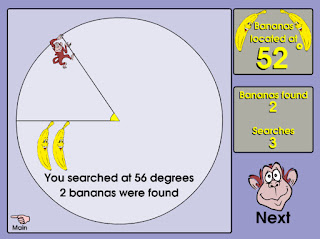
Banana Hunt
I hope everyone has a great week and I hope to see many of you in your classroom very soon.

Give it a try!

Tuesday, September 27, 2011

Happy Tech Tuesday for 9/27

Happy Tech Tuesday everyone! I hope the week is going well. I have a couple of things I want to share with you that you might find helpful.


I want to remind everyone that Mike and I have split the district to best help teachers with their technology curriculum needs.


Mike: North, Parcells, Ferry, Mason, Poupard, Kerby, Monteith and Barnes.

Nick: South, Brownell, Pierce, Defer, Maire, Richard, Trombly and Barnes.

Feel free to email us and set a time to meet. We have already been in some buildings helping teachers and it has been great. We look forward to meeting with you helping you integrate technology into your already brilliant lesson plans.

I found this on my Google Reader the other day and I love it. This site has over 250 pictures that pose a question for the reader. Here is one example that I love,


Here is another fun one,


I think this would be great for most ages at the start of class. Check it out and see how you could use it.


This is just a fun site that would be great for little kids. It allows you to draw pictures that interact with a preset story. This would be great to use on a Smartboard.

This is a great article on Edutopia on the use of Cell Phones in the classroom. The article has some links to sites that are designed to help teachers utilize the cellphones the students have in class. If you have been thinking of ways to use the phones in your classroom, here is the perfect article for you.

I hope you find these sites helpful. If you have something you would love to share with the rest of the district, please feel free to leave a comment or send me an email.

Give it a try!

Nick Provenzano

Tuesday, September 20, 2011

Tech Tuesday for September 20

Happy Tech Tuesday everyone! I hope this day find you all doing very well. Attached to the email was the Notebook file that will show you some neat tricks to do with the upgraded Notebook Software. Many of these features were new to me and this file was helpful in walking me through them. Note: Some of the features are for the new Smartboards and are not compatible with our boards. They are marked with an 800 next to them.

Here are some great links I wanted to share with all of you on using the Clickers and a website for Science Teachers.

Smart Response Clickers

This is a nice little site that will walk you through signing up with Clickers and using them in class.

Importing from Microsoft into Notebook for Clickers

This link will show you how to import exams you already have created into Smart Notebook so you do not have to start from scratch. It's a really helpful page.

Sun Moon Scope

Here is a write up of an interactive site that would work great on your Smartboard. It's a tool that allows people to see the movement of the sun and the moon. It's worth a check for all of the Science teachers out there.

These are just a few great resources I found this week. If you find something great, please feel free to share it with me so I can pass it on to everyone else.

As always, give it a try!

Nick

Tuesday, September 13, 2011

Tech Tuesday for 9/13

Happy Tuesday everyone. I hope the first week of the school year has gone smoothly for all of you. I hope your tech issues have been resolved. If not, please know that everyone is working hard to get everything going. If you are still having problems, please contact the Help Desk to make sure they are aware of any issue you might have.

Here is the text from an email Mike sent out on Monday. We are excited to get into your classrooms and look forward to hearing from all of you.

Hello,

This year, Nick Provenzano and myself will be filling the technology curriculum specialist roles at .5 FTE each. Our role is to help you incorporate technology into your curriculum and your instruction. We are looking forward to getting into classroom to work with you and your students on technology-based lessons, projects and training.  We are both teaching in the morning and are available from late morning through the rest of the school day and after school as needed.

In order to organize and schedule as efficiently as possible, we are going to split our coverage geographically.  I’ll be covering the north end of the district and Nick will cover the south end.  While this is how we will generally be dividing things, we will be very flexible in scheduling for specific needs and to meet specific requests. We will each be in every building at some point.  We’ll also be spending time in buildings for drop-in training, help with projects, learning new tools for instruction, etc.   
Contact us at any time to bring us in.  We’ll be contacting teachers and administrators to arrange visits and training.

As always, for any hardware or software related problems, troubleshooting, etc., contact helpdesk at 5199. 

Thanks,
Mike and Nick

Mike: North, Parcells, Ferry, Mason, Poupard, Kerby, Monteith and Barnes.
Nick: South, Brownell, Pierce, Defer, Maire, Richard, Trombly and Barnes.


Here are some great resources I have found the past couple of weeks.

SMART Resources

Here is a link to some quick SMART resources that you might find helpful. One of the tips involves changing the language of Notebook. This could be great for our language teachers. If you look around the site, you might find some other tips worth sharing.

RealWorldMath.org

Real World Math is a resource offering free math lessons and activities for grades 4-10. The unique feature of these lessons is they are presented on the virtual globe of Google Earth.

How to use a Google Calendar

Here are some great tips on how to use your Google Calendar if you have one.

How to use your Outlook Calendar

Here is a video that shows you some tips and tricks to Microsoft Outlook.

I hope you enjoyed these tips and I will have more for you in the next week or so.

Have a great day!

Nick

Friday, May 20, 2011

Tech Tuesday 5/24

Tech Tuesday

Sorry for the long delay between posts, but I was becoming a first time daddy! Leonardo Nicholas Provenzano was born on Mother’s Day. He’s an adorable baby boy with the cutest little smile.

I wanted to take a moment and thank everyone who has been supportive of this blog for the past year and a half. I’ve worked very hard to provide the best sources to support the amazing things you do in your classrooms. However, this is going to be my last post.
Keeping up with the blog is a full time job. Reviewing sites and seeing where they would fit took many hours of outside of school and those are now reserved for Baby Leo. I still have my personal blog that will be updated regularly. You can stop by TheNerdyTeacher.com anytime. I’m still a full time English teacher and I want to focus my energy on creating amazing lessons for the kids in my classroom. I will still try to help teachers when I can, but in my current position, I can’t keep the blog going. Below you will find some great sites from friends of mine that share a tremendous amount of resources for the classroom. Please bookmark their site and see what they have to offer. It’s been fun sharing with all of you and hope to be able to do it again.

iLearntechnology.com

This is an awesome site run by one of my bestest friends. Kelly provides wonderful resources for all ages. She is always willing to help teachers with questions and point them in the right direction when needed. She is currently involved with creating a new school in Denver. She is a tech rockstar.

 http://www.freetech4teachers.com/

Here is a great site run by Richard Byrne. He fills it with tons of great resources for teachers to use in the classroom.

The Daring Librarian

I love this site. It is not for librarians only though. Gwenyth Jones is an awesome person that I will have the pleasure of presenting with this summer in Phildelphia at the national tech conference. She really takes an exciting approach to tech integration and shares amazing resources.

Thanks again for the support!

Monday, May 2, 2011

Tech Tuesday May 3

The Epic Romeo and Juliet Project

After a few months of hardwork and dedication, the collaboration between Van Meter High School and Grosse Pointe has produced an amazing version of Romeo and Juliet that I am happy to share with you.

Grosse Pointe South students wrote, acted, directed and did everything possible to film Acts 1,3 and 5 while the students of Van Meter did the same for Acts 2 and 4. I'm very proud of what they accomplished and wanted to share the final product with all of you.

If you are a South teacher and you recognize any of the student actors, please compliment them. It wasn't easy to get in front of students and act out one of Shakespeare's most famous plays.

Enjoy.

The Epic Romeo and Juliet Project Movie

Smartboard Resources

Thanks to  Melissa Edwards and her blog Technology: Figuring Out How The Pieces Fit for finding this resource and sharing it. Thanks Melissa!

Here is a link to some great SmartBoard resources. This is for all grades and covers the ranges of subjects. If you are having trouble finding sites to use on your SmartBoard that will keep your students involved in the lesson. Take a look around these different pages and pick out what you like.

http://livebinders.com/play/play?id=7376

P.S. Livebinders is really awesome and I use it in my classes. The kids like having the information in one place. Check out this post if you are curious about Livebinders.

- Give it a try!