Tuesday, October 4, 2011

Tech Tuesday for October 4

Happy Tuesday everyone! Here are some cool things I wanted to share with you this week. I've had a chance to get into some of the school this week and I love what you are all doing. I see why we are one of the best districts in the state. Keep up the great work and let me know how I can support the wonderful things you do every day.

Outlook Tip

One of the things that teachers are now dealing with as they use their Smartboards more is having their computer screen on display at most of the time. That isn't a big problem, but some people have their email settings in such a away that it pops up to notify you when a new message appears. Sometimes, you do not want kids to see that, so here is a way to turn that off.

When you have opened your Outlook, you will see this icon next to the time. That is your Outlook icon. 

Move your arrow over the icon and right click on your mouse.


To get rid of the "Show New Mail Desktop Alert", simple click the heading and the check will vanish. You will no longer get the notifications while working on other documents. If you want to turn it back on, just follow the same directions and select the heading again to turn them on.

Math Fun!

Here are some fun sites I found on my Google Reader. Thanks to Karen Ogen and her site  InTec InSights: Technology Integration Ideas for the Classroom for the info. Here are just a couple. Please check out her sight for more information.

Squirt The Dog

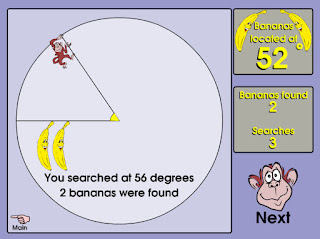
Banana Hunt
I hope everyone has a great week and I hope to see many of you in your classroom very soon.

Give it a try!

Tuesday, September 27, 2011

Happy Tech Tuesday for 9/27

Happy Tech Tuesday everyone! I hope the week is going well. I have a couple of things I want to share with you that you might find helpful.


I want to remind everyone that Mike and I have split the district to best help teachers with their technology curriculum needs.


Mike: North, Parcells, Ferry, Mason, Poupard, Kerby, Monteith and Barnes.

Nick: South, Brownell, Pierce, Defer, Maire, Richard, Trombly and Barnes.

Feel free to email us and set a time to meet. We have already been in some buildings helping teachers and it has been great. We look forward to meeting with you helping you integrate technology into your already brilliant lesson plans.

I found this on my Google Reader the other day and I love it. This site has over 250 pictures that pose a question for the reader. Here is one example that I love,


Here is another fun one,


I think this would be great for most ages at the start of class. Check it out and see how you could use it.


This is just a fun site that would be great for little kids. It allows you to draw pictures that interact with a preset story. This would be great to use on a Smartboard.

This is a great article on Edutopia on the use of Cell Phones in the classroom. The article has some links to sites that are designed to help teachers utilize the cellphones the students have in class. If you have been thinking of ways to use the phones in your classroom, here is the perfect article for you.

I hope you find these sites helpful. If you have something you would love to share with the rest of the district, please feel free to leave a comment or send me an email.

Give it a try!

Nick Provenzano

Tuesday, September 20, 2011

Tech Tuesday for September 20

Happy Tech Tuesday everyone! I hope this day find you all doing very well. Attached to the email was the Notebook file that will show you some neat tricks to do with the upgraded Notebook Software. Many of these features were new to me and this file was helpful in walking me through them. Note: Some of the features are for the new Smartboards and are not compatible with our boards. They are marked with an 800 next to them.

Here are some great links I wanted to share with all of you on using the Clickers and a website for Science Teachers.

Smart Response Clickers

This is a nice little site that will walk you through signing up with Clickers and using them in class.

Importing from Microsoft into Notebook for Clickers

This link will show you how to import exams you already have created into Smart Notebook so you do not have to start from scratch. It's a really helpful page.

Sun Moon Scope

Here is a write up of an interactive site that would work great on your Smartboard. It's a tool that allows people to see the movement of the sun and the moon. It's worth a check for all of the Science teachers out there.

These are just a few great resources I found this week. If you find something great, please feel free to share it with me so I can pass it on to everyone else.

As always, give it a try!

Nick